


Jigsawscapes® - Jigsaw Puzzles
4.560.97K Reviews
App Specs
- Version
- 5.0.6
- Updated On
- License
- Free
- Downloads
- 50,000,000+
- Developer
- Oakever Games
- Categories
- Puzzle
- Platform
- Android, iOS
Screenshots


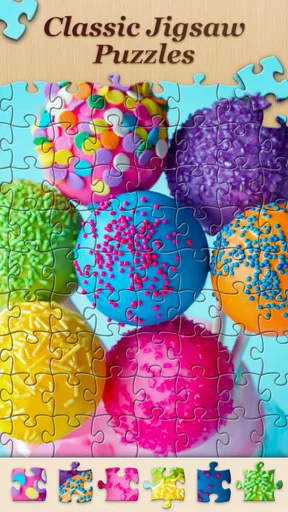

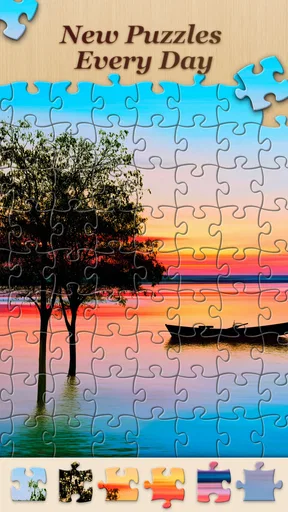
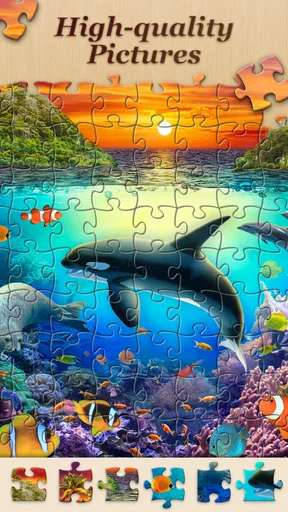
 Analysis by AppCompare
When a mobile jigsaw feels less satisfying than a real puzzle, the cause is often practical: the screen is small, pieces can blend into a busy image, or a short break ends before you find a good stopping point. I find Jigsawscapes® - Jigsaw Puzzles works best when I treat it as a flexible pocket pastime rather than a replacement for spreading a large puzzle across a table. It gives me a quick way to focus on one image at a time, but comfort and patience still matter.
Start with a comfortable puzzle, not the biggest one
The first useful choice is matching the puzzle’s difficulty to the time and attention you actually have. On a phone during a commute or a brief wait, a less demanding puzzle is easier to enjoy than one that requires prolonged concentration and frequent zooming. At home, with a larger screen and more time, I’m happier taking on a more involved image. Choosing a manageable starting point is not cutting corners; it helps the app feel relaxing instead of like another task to finish.
Image choice makes a noticeable difference, too. Landscapes with varied colors and clear shapes tend to be easier to work through than pictures dominated by similar shades or repeated textures. When I’m tired, I pick something visually distinct, so I can make progress by recognizing color and form rather than inspecting every piece closely. For a tougher session, I’ll choose an image with broad areas of similar color and take it slowly.
Small-screen friction and simple setup checks
Before blaming the puzzle, I check the basics that affect almost any game: whether the device has enough battery for a longer session, whether the screen is comfortable to look at, and whether I can tap accurately without holding the phone awkwardly. Those small adjustments matter more than they sound. A stable grip and a little extra brightness can make it easier to judge piece details, while taking a break helps if my eyes start to tire.
If the game seems slow to respond, I first close other demanding apps and try again when the device is not busy. If a screen or puzzle does not appear as expected, I give the app a moment, then reopen it rather than repeatedly tapping. I avoid making several changes at once: checking the connection, closing and reopening the game, and then testing again makes it easier to see whether the issue has cleared.
Recover a session without turning it into work
One of the useful habits for mobile puzzling is stopping at a natural point. I finish a recognizable section or place a few pieces that clearly belong together, then leave the rest for later. That gives me a simple visual cue when I return and avoids the frustration of trying to remember exactly what I was doing. The daily puzzle can also serve as a low-commitment starting point when I want a short session rather than a long project.
For an image that feels difficult, I change my approach before deciding the puzzle is impossible. I look for a distinctive color or object, work on that area, and then connect it to nearby pieces. If I’m getting nowhere, I switch to a different puzzle and come back with fresh eyes. A small-screen puzzle is supposed to be an easy break; there is little value in forcing a session when I’m no longer enjoying it.
Worth Reading Before You Choose

Flipboard Shows What News Apps Must Do Beyond the Feed

Switching to Android Auto Means Rethinking Your Driving Routine

Google Calendar Makes a Crowded Week Easier to Manage

Ludo King Makes the Most of the Minutes Between Plans

Baby Panda World Brings Quick Play to Modern Phones, but Its Game Library Feels Busy

ESPN’s Live Game View Makes Following Close Games Easier
The Joy of Piecing It Together
What really draws me into Jigsawscapes® is the incredible variety of puzzles it offers. From stunning landscapes to charming illustrations, the selection is vast and varied. The app caters to all skill levels, whether you’re a newbie or a seasoned puzzler. You can choose the number of pieces to suit your mood and time availability, making it a versatile choice for everyone.
One of the coolest features is the daily puzzle challenge. Every day, a new puzzle awaits, and it feels like a little gift to yourself. It’s a great way to keep things fresh and exciting, especially if you find yourself completing puzzles faster than you can say "jigsaw."
Customization and User Experience
Let’s talk about customization. I love how the app allows you to change the background color to make the puzzle pieces pop. It’s these little touches that make the experience more personal and enjoyable. The interface is clean and intuitive, which is a big plus. No one wants to fumble around trying to figure out how to start their puzzle.
Another thing that stands out is the ability to create your own puzzles from personal photos. Imagine piecing together your favorite vacation snapshot or a cherished family photo. It adds a personal touch to the experience, making each puzzle unique and meaningful.
Relaxation and Mindfulness
Jigsaw puzzles are known for their calming effects, and Jigsawscapes® is no different. The app is designed to be a stress-free zone. There’s no timer ticking down, no pressure to complete the puzzle quickly. You can take your time, savoring each piece as it clicks into place. It’s all about creating a moment of zen in your busy day.
Moreover, the app includes a soothing soundtrack to accompany your puzzling journey. Of course, you can always mute it if you prefer your own playlist or simply enjoy the silence. But I found that the gentle tunes enhanced the overall relaxation experience.
Accessibility and Community
The app is available on both Android and iOS, making it accessible to a wide range of users. It’s free to download with optional in-app purchases, which I found reasonably priced given the quality of content. Plus, the community aspect is quite engaging. You can share completed puzzles with friends or even challenge them to beat your time, adding a friendly competitive edge if that’s your thing.
There’s also a helpful section where users can explore tips and tricks, which is great for those looking to improve their puzzling skills. Whether you’re a solo puzzle enthusiast or enjoy sharing your achievements, the app covers all bases.
Who will enjoy it, and who may prefer another puzzle
As a puzzle game from Oakever Games, Jigsawscapes suits people who want a familiar jigsaw format with plenty of images to browse. The library is described as containing more than sixty thousand original puzzles, so browsing itself can become part of the pastime. It has a 4.5 average from around 651,000 ratings, and more than 50 million installs; that broad audience is reassuring, though popularity does not guarantee that its style will suit everyone.
I’d recommend it to someone who likes visual sorting and wants a calm activity that can fit around ordinary routines: a few minutes after lunch, a quiet evening, or a pause between errands. It also makes sense for someone who enjoys revisiting personal photos in a different way. If you want a fast arcade challenge, a story-driven game, or a puzzle that depends on complex logic rather than fitting images together, this is not the one I’d pick. A physical jigsaw is still better when you want a shared activity around a table or the tactile feeling of handling pieces.
Useful trade-offs before settling in
There are a few practical ways to make a session smoother. I use the background-color option when an image’s edges are hard to distinguish, rather than immediately changing the puzzle itself. I also choose a personal photo with clear subjects and varied colors: a picture with a strong focal point is more satisfying to assemble than one where much of the frame looks alike. That makes photo puzzles especially nice for revisiting a travel memory, but less appealing if the source image is dark or visually crowded.
Audio is another small decision worth making before a longer session. The soundtrack may help create a quiet, focused mood, but it is not essential to the puzzle; muting it or listening to something else is an easy way to fit the game into a shared room or a commute. If I’m playing in short bursts, I keep the goal modest—finish a section or make a little progress—rather than expecting every session to end with a completed image.
The game is free to download, with optional in-app purchases ranging from $6.99 to $69.99 per item. I’d treat those purchases as something to consider only after I know how often I play and whether the free experience already suits me. It is rated Everyone, and the current version is 5.0.6, with Android support starting at 7.0. The broad age rating makes it approachable for families, but I would still check purchase settings on a shared device so an accidental tap does not become an unwanted expense.
When a problem may be outside the game
If a puzzle session is interrupted, it helps to separate a game issue from a device or connection issue. A weak connection can affect online content, while low storage or a device under heavy load can make many apps behave sluggishly. I’d check whether other apps are also struggling, then try again after closing them or reconnecting. If the problem happens only once, reopening the game is a reasonable first step; if it keeps returning, noting what was happening immediately beforehand makes troubleshooting more useful than tapping randomly.
For anyone wondering whether the game is suitable for relaxed, offline-style use, I’d frame it as a casual activity rather than promise that every part will always be available without a connection. If access matters in a particular setting, it’s sensible to open the game and confirm what is available before heading there. Likewise, I would not assume that a session or personal-photo puzzle automatically transfers between devices; keep important photos safely stored outside the game as well.
Final Thoughts
All in all, Jigsawscapes® - Jigsaw Puzzles is a beautifully crafted app that brings the joy of puzzles to your mobile device. Its user-friendly interface, diverse puzzle selection, and relaxing ambiance make it a standout choice for anyone looking to unwind and engage their mind. So, the next time you’re craving a puzzle fix, give this app a try. You might just find yourself hooked, one piece at a time.
My recommendation comes with a simple caveat: it is best when you enjoy the process of looking carefully, not when you need constant action or a guaranteed distraction-free session. I’d start with a clear, manageable image, adjust the background if the pieces are hard to read, and see whether the daily puzzle becomes a pleasant routine. For a free jigsaw game with a large selection and room to make images personal, it earns a place on my phone; anyone who dislikes touchscreen piece handling or prefers hands-on puzzles should feel no pressure to switch.
Pros
- Wide variety of beautiful images.
- User-friendly interface and controls.
- Daily puzzle challenges available.
- Adjustable difficulty settings.
- Offline mode for on-the-go play.
Cons
- Contains in-app purchases.
- Occasional ads disrupt gameplay.
- Limited free puzzles without purchase.
- Requires significant storage space.
- No multiplayer or social features.
FAQs for Jigsawscapes® - Jigsaw Puzzles
What is Jigsawscapes® and how does it work?
Jigsawscapes® is a digital jigsaw puzzle app available for both Android and iOS devices. It offers a wide range of puzzles with varying levels of difficulty, allowing users to enjoy piecing together images from different categories. The app provides a smooth interface with features like zooming, rotation, and hints to enhance the user experience.
Is Jigsawscapes® free to use or does it require in-app purchases?
Jigsawscapes® is free to download and offers a selection of puzzles at no cost. However, it includes in-app purchases for additional puzzle packs and premium features. These purchases can unlock more complex puzzles, remove ads, and provide other enhancements to the app's functionality.
What are the system requirements for Jigsawscapes®?
To run Jigsawscapes® smoothly, Android users need a device with at least Android 5.0 or higher. For iOS users, the app requires iOS 11.0 or later. Adequate storage space is also necessary to accommodate the app and downloaded puzzles, ensuring optimal performance.
Does Jigsawscapes® offer any social or competitive features?
Jigsawscapes® includes social features that allow users to share their completed puzzles with friends. It also provides a leaderboard where users can compete with others globally. This adds a social and competitive element to the puzzle-solving experience, making it more engaging.
Can I play Jigsawscapes® offline?
Yes, Jigsawscapes® offers offline functionality, allowing users to play without an internet connection. However, downloading new puzzle packs or accessing certain online features requires internet access. This offline capability is beneficial for users who want to enjoy puzzles on the go.


